
20% VAT included · Shipping included · Delivery within 3 weeks at the latest, depending on stock
Raptorex Control Tablet
Works only with Raptorex Control Boards.
Not compatible with all Raptorex models. If you want to use it with a machine you already own, a control board replacement may be required. Please consult us before purchasing.
Thanks to its full compatibility with Raptorex control boards, you get the maximum performance from your machine. Its wireless operation and wide connection range give you great freedom in your work. It lets you use your machine like a handheld router. It eliminates the need for a computer.
Free Shipping
1-Year Warranty
Wireless Control
Control InterfaceRaptoDroid — Tablet App
ConnectionWiFi / USB
CompatibilityGRBL / FluidNC
SetupPlug & Play
FeaturesJOG · PENDANT · TABLE · G-Code · Probe · Console · Settings
Compatible Control BoardRaptorex 4-Axis Control Board
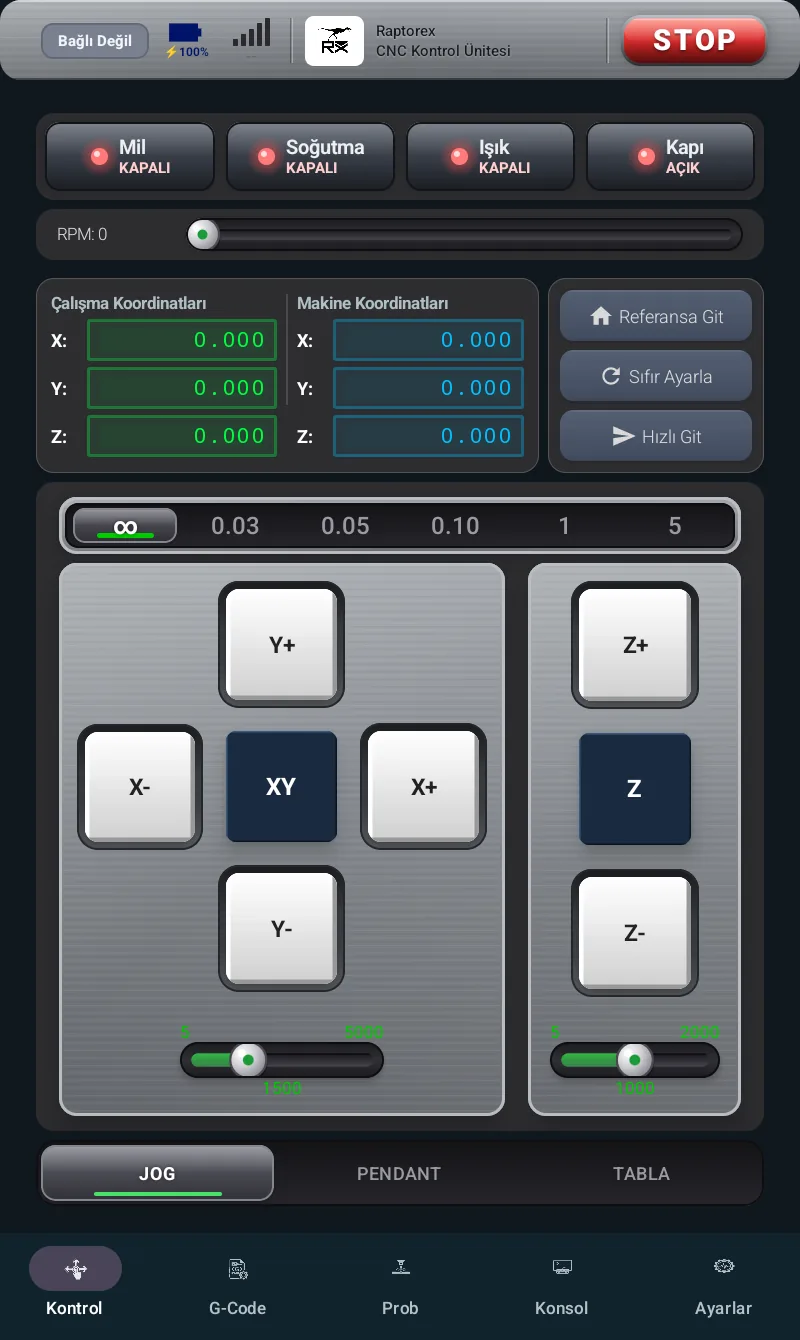
- 1Connection statusShows whether you are connected to the machine.
- 2Battery & signalThe tablet's battery level and connection signal strength.
- 3HeaderRaptorex logo and the "CNC Control Unit" label.
- 4STOP — Emergency StopInstantly halts motion. Shows "CLEAR ALARM" when there is an alarm.
- 5Tab menuControl · G-Code · Probe · Console · Settings.
- 1Machine functionsSpindle · Coolant · Light · Door (ON / OFF).
- 2RPM sliderSets the spindle speed.
- 3CoordinatesWork and Machine X / Y / Z positions.
- 4Position commandsGo Home · Set Zero · Rapid Move.
- 5Step selector∞ · 0.03 · 0.05 · 0.10 · 1 · 5 mm.
- 6X / Y direction keysMovement in the table plane.
- 7Z direction keysMoves the spindle up / down.
- 8Feed ratemm/min speed sliders.
- 9Sub-tabsJOG · PENDANT · TABLE.
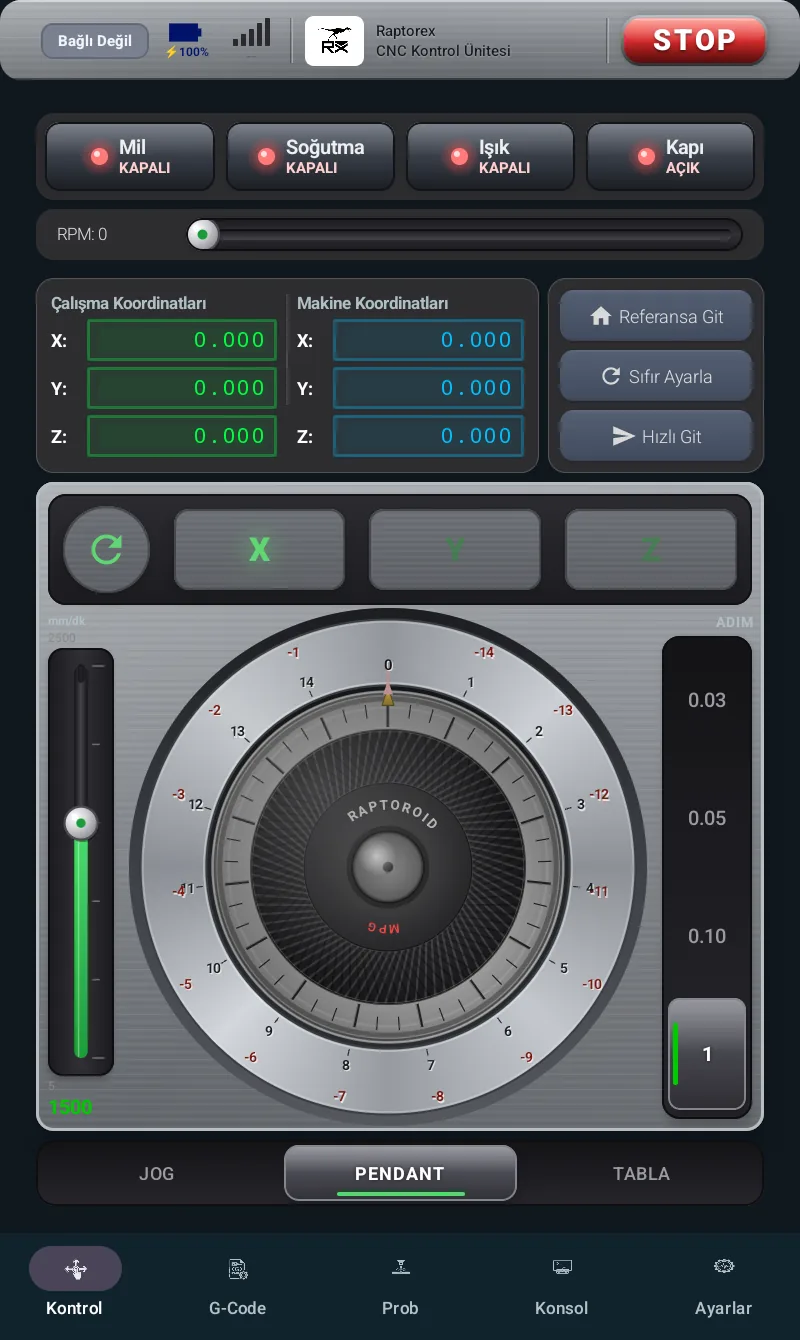
- 1Axis selectionX · Y · Z — determines which axis is driven.
- 2Hand wheel (MPG)Virtual hand wheel; rotate with your finger to move.
- 3Speed sliderMovement speed (mm/min).
- 4Step0.03 · 0.05 · 0.10 · 1 mm / click.
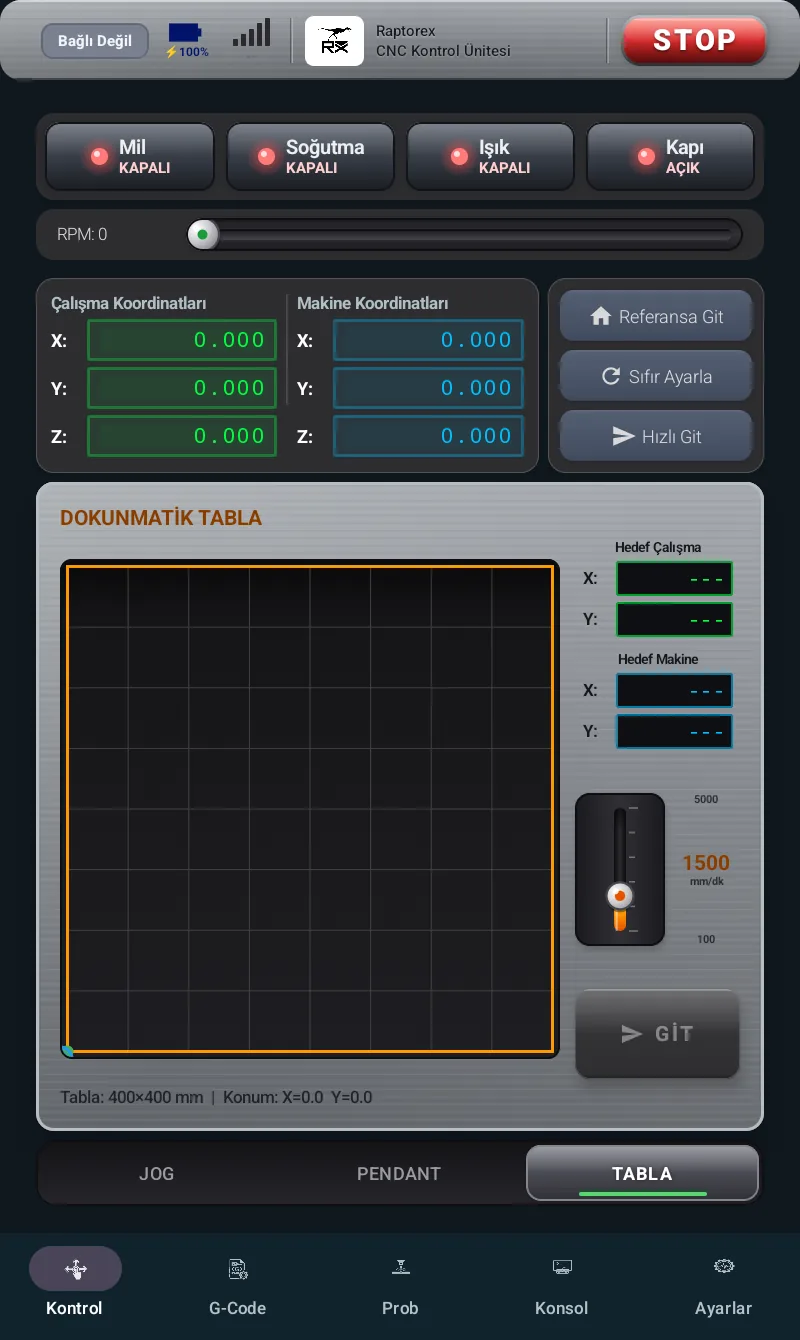
- 1Table areaThe point you touch becomes the target.
- 2Target coordinatesWork target and machine target X / Y.
- 3SpeedTravel speed (mm/min).
- 4GOStarts the move to the target.
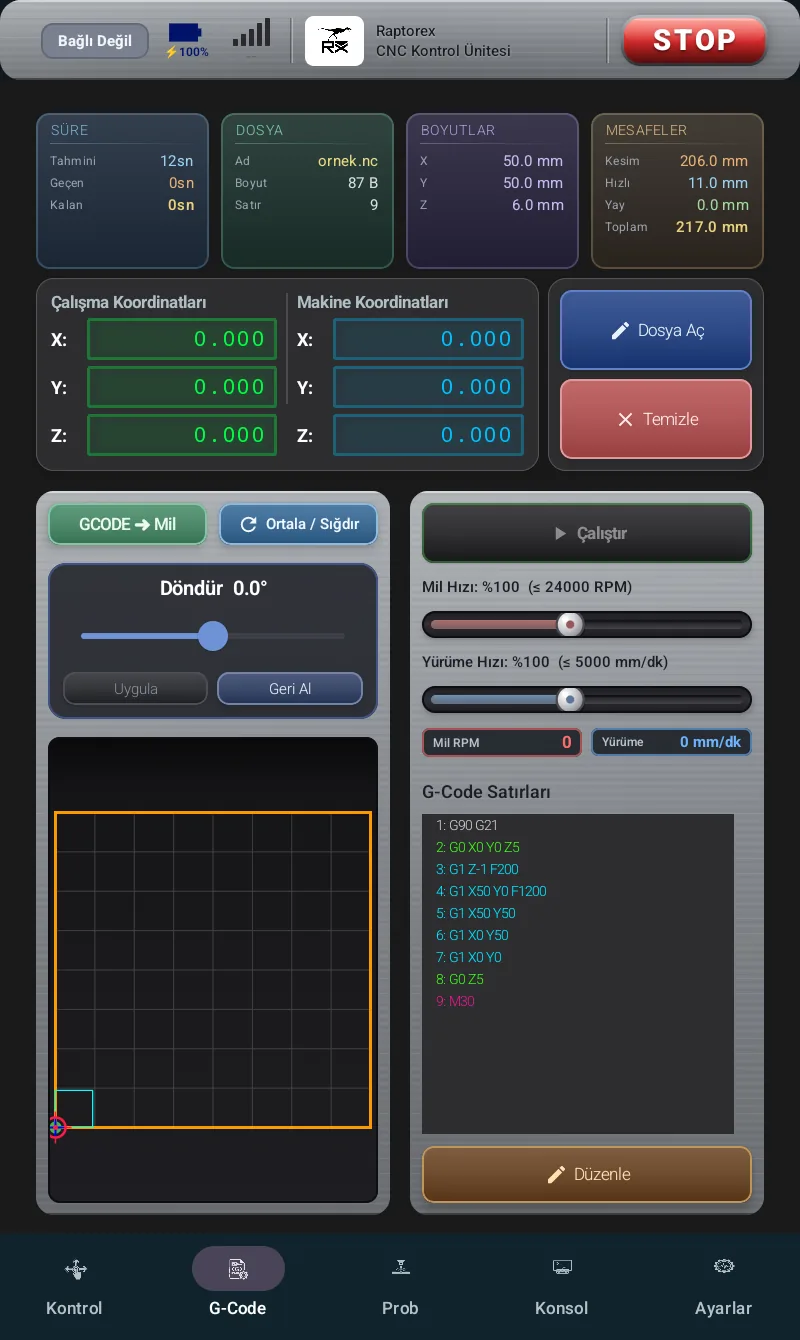
- 1Summary cardsTime · File · Dimensions · Distances.
- 2Open File / ClearLoads or removes a program.
- 3GCODE ➜ Mill · Center · RotateAlign, fit and rotate.
- 4Toolpath previewGraphic view; pan / zoom.
- 5Run / ■ STOPStarts / pauses machining.
- 6Speed setting (override)Spindle and feed speed %.
- 7Code linesG-Code list tracked live.
- 8EditOpens the code editor.
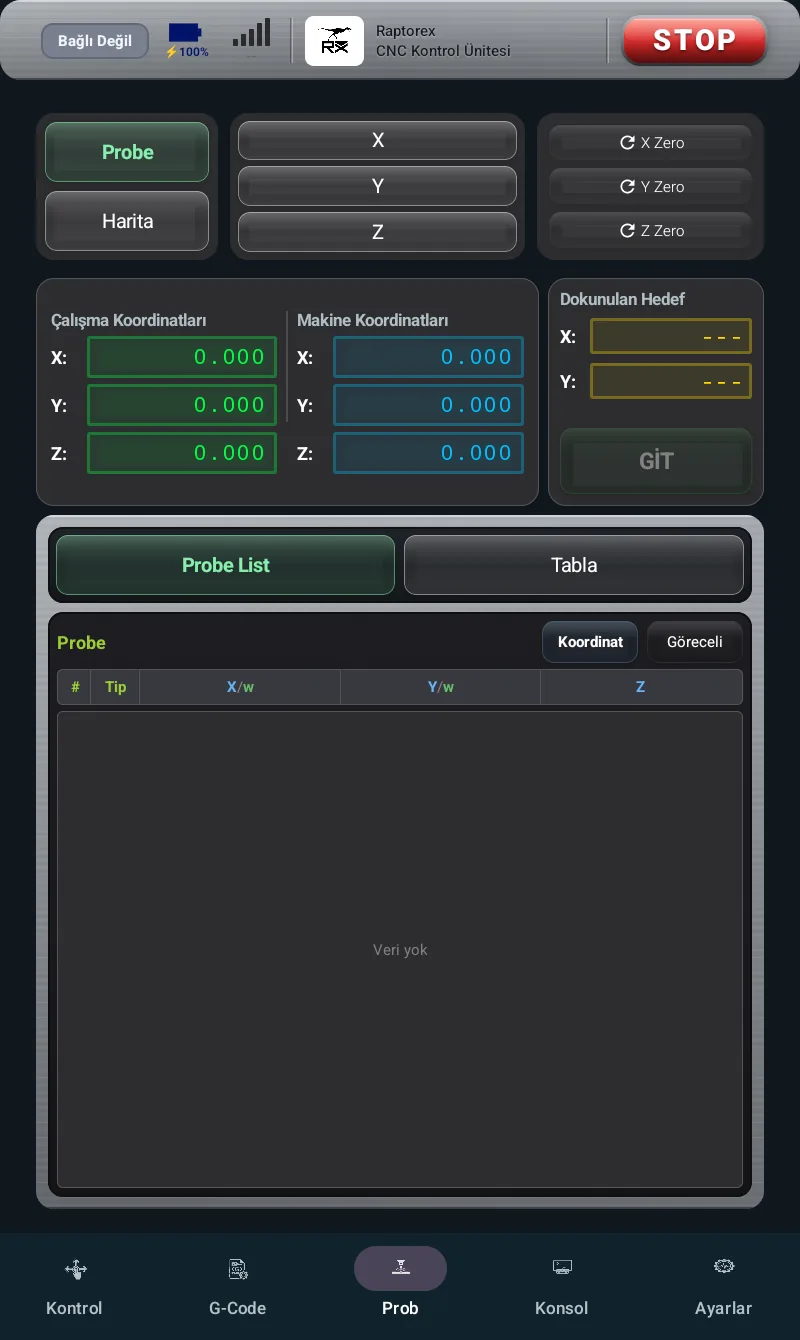
- 1Probe / MapSwitch between touch probing and surface mapping.
- 2Touch axisStarts a touch-off on the X · Y · Z axis.
- 3Set ZeroSets the touched point as zero.
- 4Touched target & GOMeasured values and moving to that point.
- 5Measurement listTouch-off records.
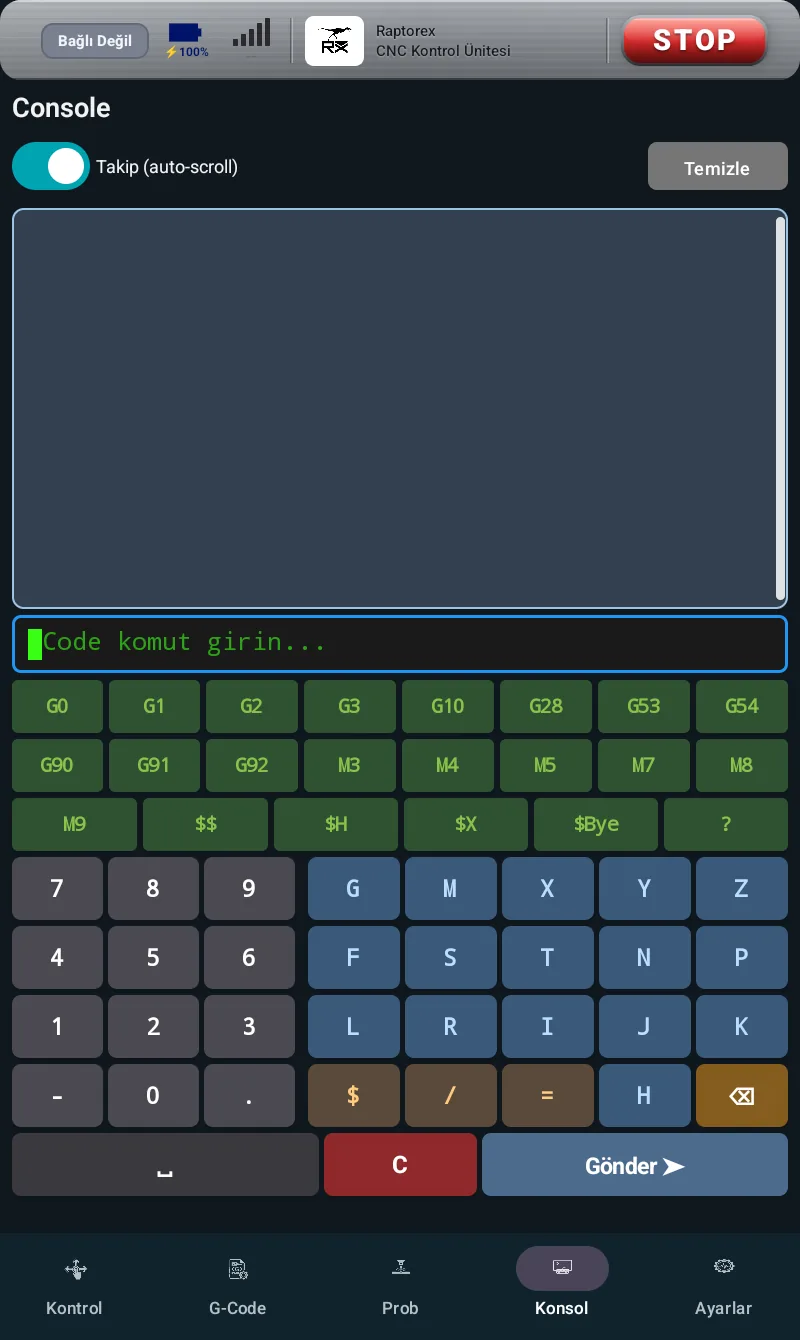
- 1Output screenResponses from the machine.
- 2Follow (auto-scroll)Automatic scroll down.
- 3Command lineCommand input field.
- 4Quick commandsFrequently used commands.
- 5KeyboardLetters and digits input.
- 6SendSends the command to the machine.
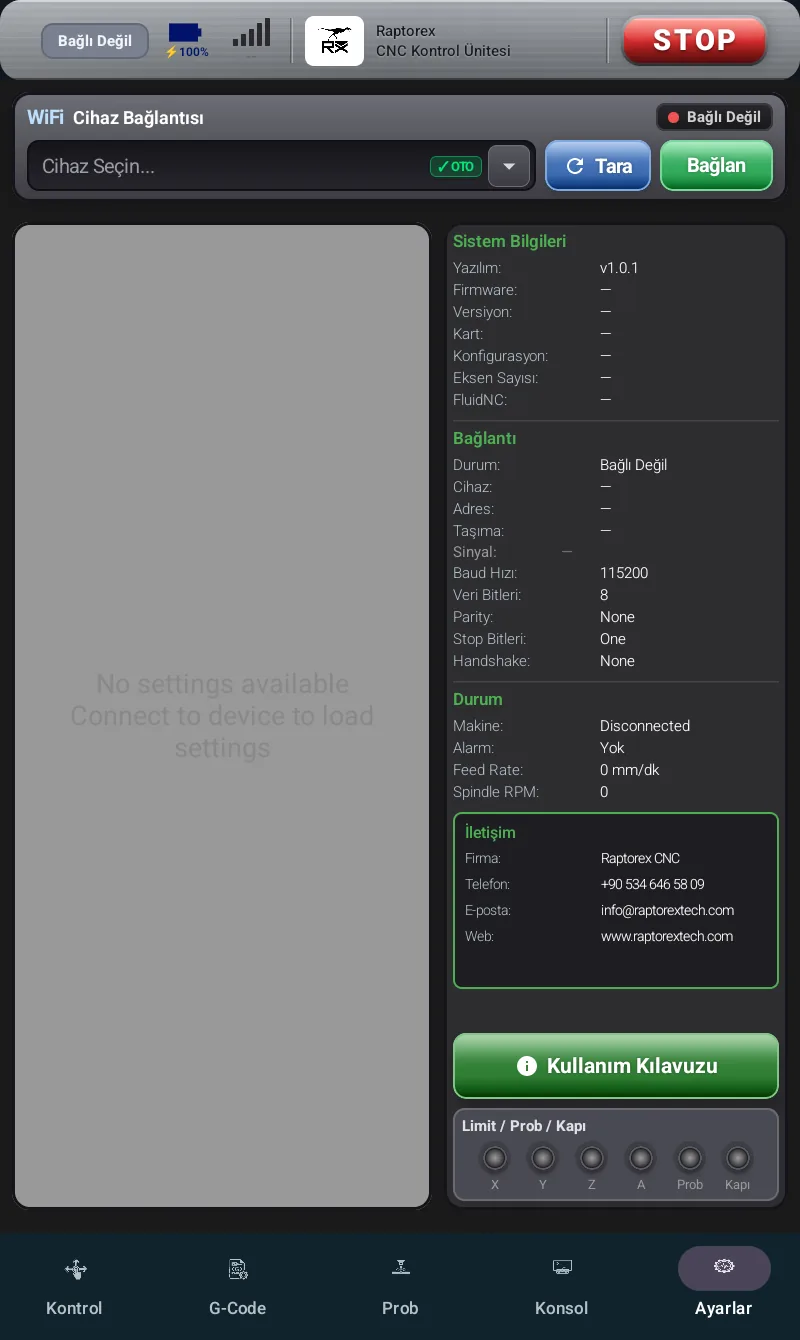
- 1Connection sectionDevice selection, Scan, Connect / Disconnect.
- 2Limit / Homing settingsSoft Limit, Hard Limit, Homing.
- 3System infoFirmware, board, number of axes.
- 4Machine stateAlarm, Feed Rate, Spindle RPM.
- 5ContactRaptorex CNC company information.
- 6Sensor indicatorsLimit / Probe / Door states.